
How to Customize Your iPhone 13 Pro Max for a Personalized Experience
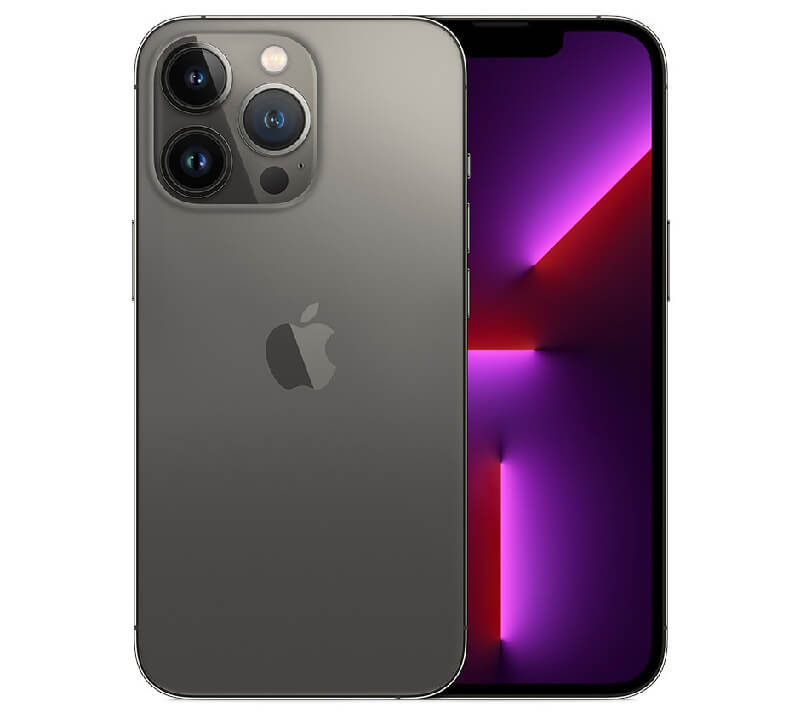
How to Customize Your iPhone 13 Pro Max for a Personalized Experience. Customizing your iPhone 13 Pro Max allows you to align your device with your lifestyle, preferences, and productivity needs. From visual tweaks to functional enhancements, these simple adjustments can significantly improve your overall user experience. Below is a practical, step-by-step guide to help you personalize your device like a pro.
Personalize Your Home Screen
1: Press and hold an empty area on the Home Screen until apps start to jiggle.
2: Tap the “+” icon at the top-left corner.
3: Select a widget and choose your preferred size.
4: Tap “Add Widget” and place it on your screen.
5: Drag apps into folders by placing one app over another.
6: Rename folders based on categories like “Work,” “Social,” or “Finance.”
Short, clear layouts make navigation faster and visually appealing.
Customize Lock Screen Settings
1: Go to Settings > Wallpaper > Add New Wallpaper.
2: Choose from Apple’s wallpapers or your photos.
3: Tap Customize to adjust fonts and colors of the clock.
4: Add widgets like weather, calendar, or battery status.
5: Set the wallpaper pair for both Lock Screen and Home Screen.
This helps you access key information instantly without unlocking your phone.
Adjust Display and Appearance
1: Open Settings > Display & Brightness.
2: Select Dark Mode or Light Mode based on preference.
3: Enable True Tone for natural color balance.
4: Adjust brightness manually or turn on Auto-Brightness.
5: Set Text Size and enable Bold Text if needed.
Optimizing display settings improves comfort and reduces eye strain.
Set Custom Ringtones and Alerts
1: Go to Settings > Sounds & Haptics.
2: Tap Ringtone or Text Tone.
3: Choose from default tones or purchase new ones.
4: Assign unique tones to contacts via the Contacts app.
5: Adjust vibration patterns or create a custom one.
Distinct tones help you identify calls and notifications quickly.
Configure Focus Modes for Productivity
1: Navigate to Settings > Focus.
2: Select a mode like Do Not Disturb, Work, or Personal.
3: Customize allowed notifications and contacts.
4: Schedule activation times or link to specific locations.
5: Enable Focus Filters to limit app distractions.
Focus Modes help you stay productive and minimize interruptions.
Organize Apps with App Library
1: Swipe left past your last Home Screen page.
2: Access the App Library automatically categorized by iOS.
3: Tap the search bar to quickly find apps.
4: Remove apps from Home Screen by long-pressing and selecting Remove App > Move to App Library.
5: Keep only essential apps on your main screens.
This keeps your interface clean and clutter-free.
Customize Control Center
1: Go to Settings > Control Center.
2: Tap Customize Controls.
3: Add tools like Screen Recording, Low Power Mode, or Calculator.
4: Remove unused controls for simplicity.
5: Access Control Center by swiping down from the top-right corner.
Quick access tools improve efficiency and save time.
Enhance Privacy and Security Settings
1: Open Settings > Privacy & Security.
2: Review app permissions for location, camera, and microphone.
3: Disable access for apps that don’t need it.
4: Enable Face ID & Passcode for secure access.
5: Turn on Find My iPhone for tracking and recovery.
Custom security settings protect your personal data.
Customize Safari and Default Apps
1: Go to Settings > Safari.
2: Choose tab layout and privacy settings.
3: Enable Content Blockers if needed.
4: Set default apps via Settings > [App Name] > Default App.
5: Select preferred browser or email app.
Tailoring default apps improves your browsing experience.
Summary
Customizing your iPhone 13 Pro Max enhances usability, productivity, and security. By organizing your Home Screen, adjusting display settings, setting Focus Modes, and refining privacy controls, you create a device that truly fits your daily routine. Implement these steps to unlock a smarter, more personalized smartphone experience.
